
You can not select more than 25 topics
Topics must start with a letter or number, can include dashes ('-') and can be up to 35 characters long.
1.8 KiB
1.8 KiB
Synology HDD db

Description
Add your HDD, SSD and NVMe drives to your Synology's compatible drive database.
The script works in DSM 7 and DSM 6.
What the script does:
- Gets a list of the HDDs, SSDs and NVMe drives installed in your Synology NAS.
- Gets each drive's model number and firmware version.
- Checks if each drive is already in the Synology's compatible-drive database.
- Adds any missing drives to the Synology's compatible-drive database.
Planned updates:
- Detect any connected expansion units and get the model(s) and edit the correct expansion unit db files.
- Or add support for users to specify their expansion unit model(s) as arguments.
- Or maybe use the shotgun approach and update all expansion unit db files.
- Add support for SAS drives? Are SAS drives listed as /dev/sata# or /dev/sas# ?
Running the script
You can either run the script in a shell, or add a "User defined script" task to Synology's Task Scheduler to run as root.
sudo /path-to-script/syno_hdd_db.sh
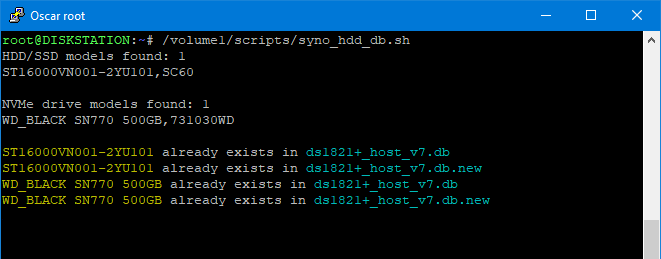
Note: Replace /path-to-script/ with the actual path to the script on your Synology.
If you run the script with the -showedits flag it will show you the changes it made to the Synology's compatible-drive database. Obviously this is only useful if you run the script in a shell.
sudo /path-to-script/syno_hdd_db.sh -showedits
Note: Replace /path-to-script/ with the actual path to the script on your Synology.
